.png)
Tools: Figma
Focus: Product Design, UX
Internet Filter Extension
An idea for a browser extension that would allow you to filter search engine results. No more skimming through links until you've found the right one.
The Problem
The internet is full of redundant and sometimes misleading information. People spend a lot of time filtering, processing, and refining their search results. It wastes time, money, and mental bandwidth.

Solution
A browser extension, with a customizable filtering system allowing people to reduce repeated information, overly biased articles, and preference fact based articles over opinionated ones.
The extension scans search results and recommends articles based off of multiple key factors. It also condenses long articles into a TLDR for quick reading that gets people past just reading a headline.

Search Results screen offering a summary of all the results in one place as well as links to articles with key factors such as most concise.
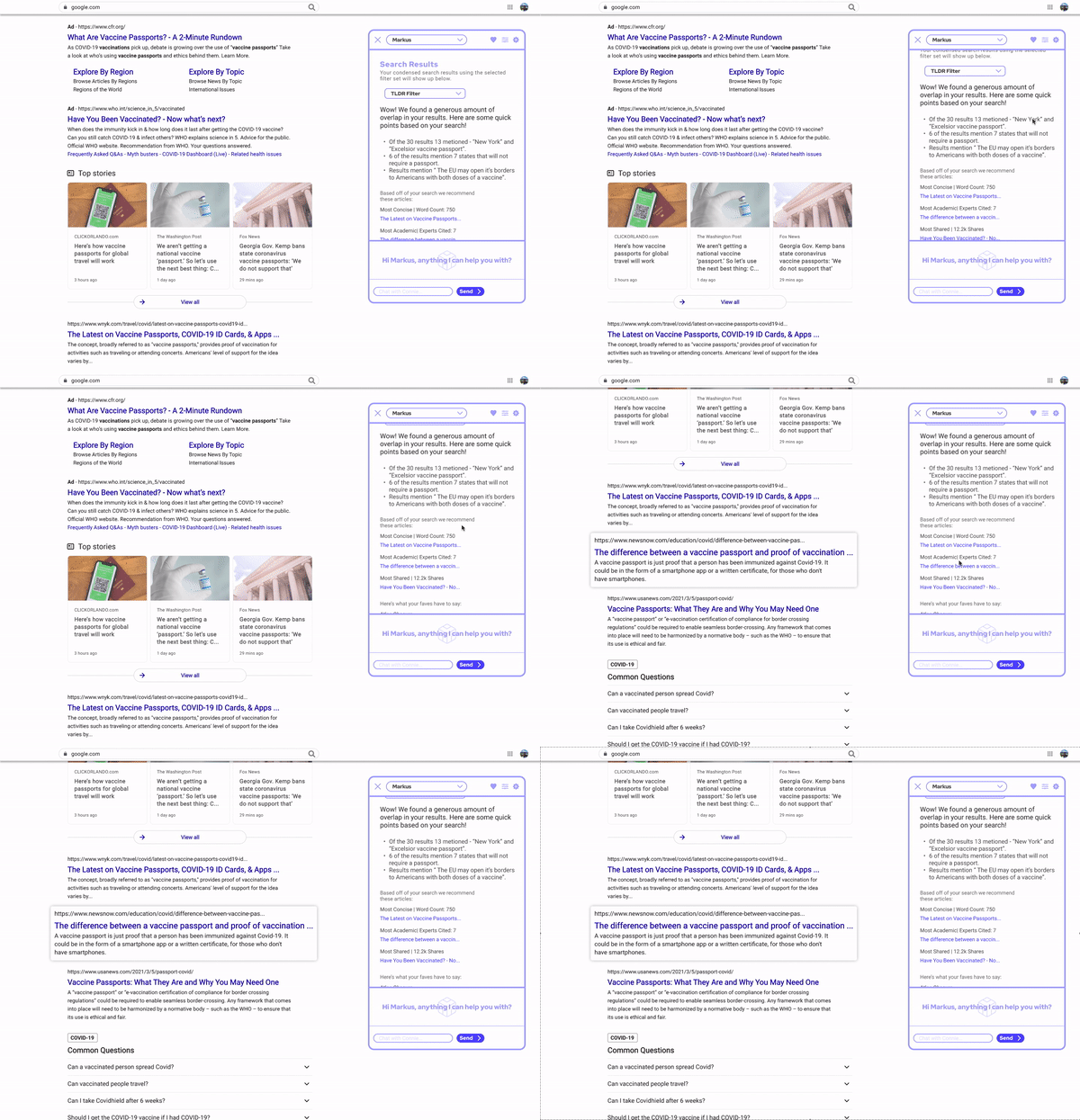
Search Result Highlighting
The links to popular articles and your favorite sites are highlighted in the results page when you hover over them for a closer look before opening.
The Extension Screens
Summary
Your search results condensed into the repeated topics and comments expressed in the articles. You can adjust which filter set you are using based on what you are searching for.
Filter
Whether you’re looking for news, quick facts, or product reviews - you can adjust and save presets to help you find the links you’re looking for.
Favorites
Add websites to be looked at individually and suggested on your main page. Block websites from being suggested or even considered in the main summary.
Settings
Personalize the extension to suit your style and needs.


Article summary screen offering a TLDR and hyperlinks to cited courses for any article viewed with the extension active.
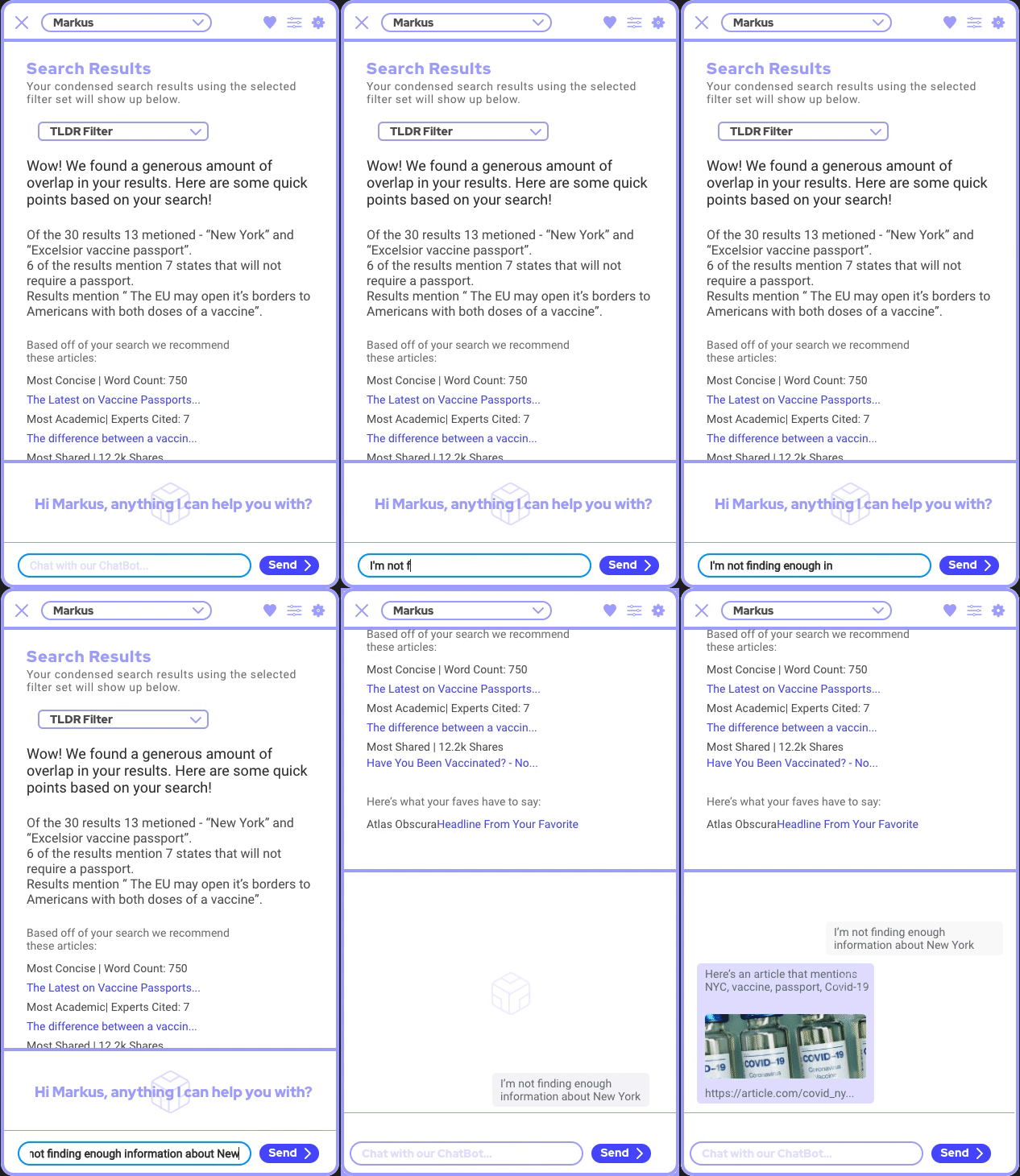
Chat Bot Assistant
If you don’t find the answer you’re looking for the first time, the ChatBot can help you quickly refine your search and get new results with an updated summary.

Dark mode theme.

Possible color options for the extension, available in the settings.

Analysis
After observing a few users conduct research for a given topic, I was interested to see the different thought processes and procedures for researching and finding a "good" source of information. What was observed was helpful in creating the user flow for basic researching (bottom). With the yellow colors representing time-consuming actions, you can see that the improved flow (top) would take a similar amount of time.
Without the extension, the time-consuming tasks are a necessary part of the research. Whereas with the extension, the time-consuming tasks are superfluous - they are tasks you only need to endure if you are interested in the information you've found!